Your own space to browse.你的私人瀏覽空間。你的私人浏览空间。Tu espacio para navegar.Seu espaço para navegar.Votre espace pour naviguer.自分だけのブラウジング空間。Ihr eigener Platz zum Surfen.Ruang menjelajah milik Anda.나만의 브라우징 공간.ब्राउज़िंग के लिए अपनी जगह।Không gian duyệt web của riêng bạn.
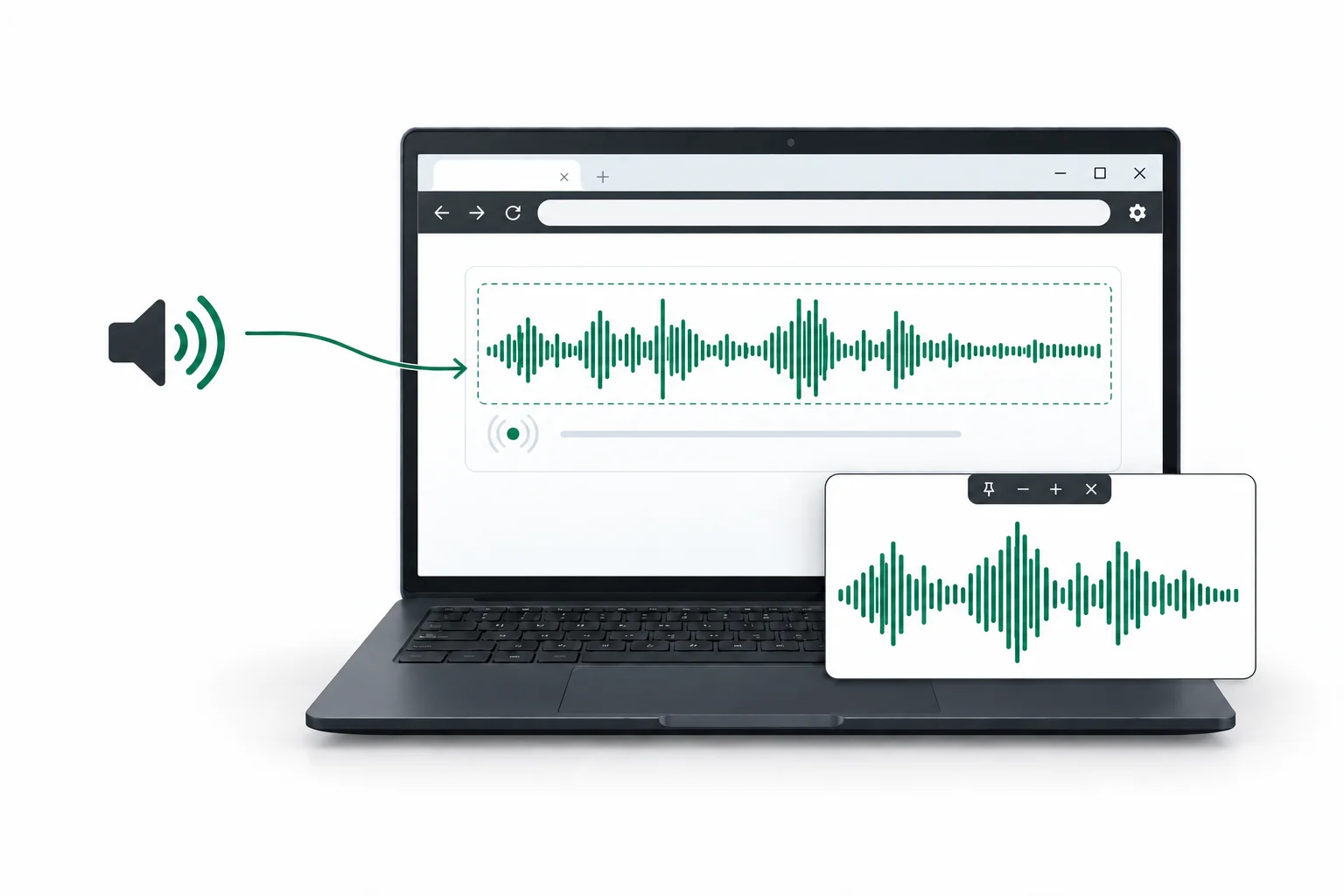
Send system audio to a website. Keep Meow out of supported screen sharing and a useful part of any page in view. Close Meow to clear website sign-ins and temporary data.將系統音訊傳入網站,在支援的螢幕分享中隱藏 Meow,並以浮動鏡像讓所需內容保持在眼前。關閉時清除網站登入及暫存資料,讓瀏覽更安心。将系统音频传入网站,在支持的屏幕共享中隐藏 Meow,并用浮动镜像让所需内容保持在眼前。关闭时清除网站登录及临时数据,让浏览更安心。Envía audio del sistema a un sitio web. Oculta Meow en usos compartidos de pantalla compatibles y mantén a la vista parte de una página. Al cerrar, borra las sesiones y los datos temporales de los sitios.Envie o áudio do sistema a um site. Oculte o Meow no compartilhamento de tela compatível e mantenha parte de uma página à vista. Ao fechar, limpe sessões e dados temporários dos sites.Transmettez le son du système à un site. Masquez Meow lors des partages d’écran compatibles et gardez une partie de page à portée de vue. À la fermeture, effacez les connexions et données temporaires des sites.システム音声をウェブサイトへ。対応する画面共有から Meow を隠し、必要なページ部分をフローティングミラーで表示。終了時にはサイトのログイン情報と一時データを消去します。Übertrage Systemaudio an eine Website. Blende Meow bei unterstützten Bildschirmfreigaben aus und behalte einen Seitenausschnitt im Blick. Beim Schließen werden Website-Anmeldungen und temporäre Daten gelöscht.Kirim audio sistem ke situs web. Sembunyikan Meow dari berbagi layar yang didukung dan tampilkan bagian halaman yang dibutuhkan. Saat ditutup, sesi masuk dan data sementara situs dihapus.시스템 오디오를 웹사이트로 전달하세요. 지원되는 화면 공유에서 Meow를 숨기고 필요한 페이지 영역을 플로팅 미러로 보세요. 종료하면 웹사이트 로그인과 임시 데이터가 지워집니다.सिस्टम ऑडियो वेबसाइट पर भेजें। समर्थित स्क्रीन शेयरिंग में Meow को छिपाएँ और पेज का ज़रूरी हिस्सा सामने रखें। बंद करने पर वेबसाइट साइन-इन और अस्थायी डेटा मिट जाते हैं।Truyền âm thanh hệ thống đến trang web. Ẩn Meow khi chia sẻ màn hình bằng phương thức được hỗ trợ và giữ phần trang bạn cần trong tầm nhìn. Khi đóng, xóa thông tin đăng nhập và dữ liệu tạm của trang web.
Windows 11 · 64-bitWindows 11 · 64 位元Windows 11 · 64 位Windows 11 · 64 bitsWindows 11 · 64 bitsWindows 11 · 64 bitsWindows 11 · 64 ビットWindows 11 · 64-BitWindows 11 · 64-bitWindows 11 · 64비트Windows 11 · 64-बिटWindows 11 · 64-bitFree for personal use個人用途免費个人用途免费Gratis para uso personalGrátis para uso pessoalGratuit pour un usage personnel個人利用は無料Für die private Nutzung kostenlosGratis untuk penggunaan pribadi개인 용도 무료निजी इस्तेमाल के लिए मुफ़्तMiễn phí cho mục đích cá nhân
1.0.0-beta.23
Interface illustration, not an actual screenshot介面示意圖,並非實際螢幕截圖界面示意图,并非实际屏幕截图Ilustración de la interfaz, no es una captura de pantalla realIlustração da interface, não é uma captura de tela realIllustration de l’interface, et non une capture d’écran réelle画面はイメージです。実際のスクリーンショットではありませんDarstellung der Oberfläche, kein tatsächlicher ScreenshotIlustrasi antarmuka, bukan tangkapan layar asli인터페이스 예시이며 실제 스크린샷이 아닙니다यह इंटरफ़ेस का चित्र है, असली स्क्रीनशॉट नहींHình minh họa giao diện, không phải ảnh chụp thực tế
Features功能功能FuncionesRecursosFonctionnalités機能FunktionenFitur기능सुविधाएँTính năng
More room for the way you browse.讓瀏覽更貼合你的需要。让浏览更贴合你的需要。Más espacio para tu forma de navegar.Mais espaço para o seu jeito de navegar.Plus de place pour votre façon de naviguer.あなたの使い方に合うブラウジング。Mehr Raum für Ihre Art zu surfen.Lebih leluasa menjelajah dengan cara Anda.나에게 맞는 브라우징을 위한 여유.आपके ब्राउज़ करने के तरीके के लिए ज़्यादा जगह।Duyệt web theo cách bạn cần.
System Audio Input系統音訊輸入系统音频输入Entrada de audio del sistemaEntrada de áudio do sistemaEntrée audio du systèmeシステム音声入力Systemaudio-EingabeInput audio sistem시스템 오디오 입력सिस्टम ऑडियो इनपुटĐầu vào âm thanh hệ thống
Send the sound playing on your Windows computer to a compatible website.將 Windows 電腦正在播放的聲音傳給相容的網站。将 Windows 电脑正在播放的声音传给兼容的网站。Envía el sonido que se reproduce en tu equipo Windows a un sitio web compatible.Envie o som que está tocando no seu computador Windows para um site compatível.Transmettez le son diffusé sur votre ordinateur Windows à un site compatible.Windows パソコンで再生中の音声を、対応するウェブサイトに送信します。Übertragen Sie den Ton Ihres Windows-Computers an eine kompatible Website.Kirim suara yang sedang diputar di komputer Windows Anda ke situs web yang kompatibel.Windows 컴퓨터에서 재생 중인 소리를 호환되는 웹사이트로 보냅니다.अपने Windows कंप्यूटर पर चल रही आवाज़ किसी संगत वेबसाइट को भेजें।Truyền âm thanh đang phát trên máy tính Windows đến trang web tương thích.
− □ ×
‹ ›
Screen Privacy畫面私隱屏幕隐私Privacidad de pantallaPrivacidade da telaConfidentialité de l’écran画面プライバシーBildschirmschutzPrivasi layar화면 보호स्क्रीन की निजताQuyền riêng tư màn hình
Hide Meow windows from supported screen-sharing and recording tools.在支援的螢幕分享或錄影方式下,隱藏 Meow 視窗。在支持的屏幕共享或录屏方式下,隐藏 Meow 窗口。Oculta las ventanas de Meow en las herramientas compatibles para compartir o grabar la pantalla.Oculte as janelas do Meow em ferramentas compatíveis de compartilhamento e gravação de tela.Masquez les fenêtres Meow dans les outils de partage et d’enregistrement d’écran compatibles.対応する画面共有・録画ツールから、Meow のウィンドウを隠します。Blenden Sie Meow-Fenster in unterstützten Tools zur Bildschirmfreigabe und -aufnahme aus.Sembunyikan jendela Meow dari alat berbagi dan perekam layar yang didukung.지원되는 화면 공유 및 녹화 도구에서 Meow 창을 숨깁니다.समर्थित स्क्रीन शेयरिंग और रिकॉर्डिंग टूल में Meow की विंडो छिपाएँ।Ẩn cửa sổ Meow khỏi các công cụ chia sẻ và ghi màn hình được hỗ trợ.
Your view你的畫面你的画面Tu pantallaSua telaVotre écran自分の画面Ihr BildschirmLayar Anda내 화면आपकी स्क्रीनMàn hình của bạn
− □ ×
‹ ›
Shared screen分享的畫面共享的画面Pantalla compartidaTela compartilhadaÉcran partagé共有画面Freigegebener BildschirmLayar yang dibagikan공유 화면शेयर की गई स्क्रीनMàn hình được chia sẻ
Show part of a webpage in a separate floating window. Move it, resize it, zoom in or out, and adjust its transparency.將部分網頁內容放到獨立的浮動視窗。你可以移動視窗、調整大小、放大或縮小內容,以及改變透明度。将部分网页内容放到独立的悬浮窗口。你可以移动窗口、调整大小、放大或缩小内容,以及改变透明度。Muestra parte de una página web en una ventana flotante independiente. Puedes moverla, cambiar su tamaño, ampliar o reducir el contenido y ajustar la transparencia.Exiba parte de uma página em uma janela flutuante separada. Mova a janela, ajuste o tamanho, amplie ou reduza o conteúdo e altere a transparência.Affichez une partie d’une page dans une fenêtre flottante indépendante. Déplacez-la, redimensionnez-la, ajustez le zoom et modifiez sa transparence.ウェブページの一部を別のウィンドウに表示します。移動、サイズ変更、拡大・縮小、透明度の調整ができます。Zeigen Sie einen Ausschnitt einer Webseite in einem separaten schwebenden Fenster an. Sie können das Fenster verschieben, seine Größe ändern, zoomen und die Transparenz anpassen.Tampilkan sebagian halaman web di jendela mengambang terpisah. Geser jendela, ubah ukurannya, perbesar atau perkecil konten, dan atur transparansinya.웹페이지 일부를 별도의 플로팅 창에 표시합니다. 창을 이동하거나 크기를 바꾸고, 내용을 확대·축소하고, 투명도를 조절할 수 있습니다.वेबपेज का कुछ हिस्सा अलग फ़्लोटिंग विंडो में दिखाएँ। विंडो को खिसकाएँ, उसका आकार बदलें, ज़ूम करें और पारदर्शिता घटाएँ या बढ़ाएँ।Hiển thị một phần trang web trong cửa sổ nổi riêng. Di chuyển, đổi kích thước, thu phóng và điều chỉnh độ trong suốt.
− □ ×
‹ ›
Know what stays. Know what clears.哪些保留,哪些清除,一目了然。哪些保留,哪些清除,一目了然。Sabe qué se guarda y qué se borra.Saiba o que fica e o que é limpo.Savoir ce qui reste et ce qui s’efface.残るデータ、消えるデータを明確に。Was bleibt. Was gelöscht wird.Ketahui yang disimpan dan dihapus.남는 데이터와 지워지는 데이터를 명확하게.जानें क्या रहता है, क्या मिटता है।Biết rõ dữ liệu nào được giữ, dữ liệu nào bị xóa.
No browsing-history list不建立瀏覽歷史不建立浏览历史Sin lista del historialSem lista do históricoAucune liste d’historique閲覧履歴の一覧を保存しないKeine VerlaufslisteTanpa daftar riwayat방문 기록 목록을 저장하지 않음ब्राउज़िंग इतिहास की सूची नहींKhông lưu danh sách lịch sử
Meow keeps no browsing-history list.Meow 不建立瀏覽歷史清單。Meow 不建立浏览历史列表。Meow no guarda una lista del historial de navegación.O Meow não salva uma lista do histórico de navegação.Meow ne conserve pas de liste d’historique de navigation.Meow は閲覧履歴の一覧を保存しません。Meow speichert keine Liste des Browserverlaufs.Meow tidak menyimpan daftar riwayat penjelajahan.Meow는 방문 기록 목록을 저장하지 않습니다.Meow ब्राउज़िंग इतिहास की सूची नहीं रखता।Meow không lưu danh sách lịch sử duyệt web.
Cleared on normal close正常關閉後清除正常关闭后清除Se borra al cerrar normalmenteLimpo ao fechar normalmenteEffacé à la fermeture normale通常の終了時に消去Beim normalen Schließen gelöschtDihapus saat ditutup normal정상 종료 시 삭제सामान्य रूप से बंद करने पर मिटता हैXóa khi đóng bình thường
Website sign-ins, cookies and temporary website data. Some extensions may need you to sign in again.網站登入狀態、Cookie 及網站暫存資料。部分擴充功能可能需要重新登入。网站登录状态、Cookie 及网站临时数据。部分扩展程序可能需要重新登录。Sesiones, cookies y datos temporales de los sitios. Algunas extensiones pueden pedirte que inicies sesión de nuevo.Logins, cookies e dados temporários dos sites. Algumas extensões podem pedir um novo login.Connexions, cookies et données temporaires des sites. Certaines extensions peuvent demander une nouvelle connexion.サイトのログイン状態、Cookie、一時データ。一部の拡張機能では再ログインが必要です。Website-Anmeldungen, Cookies und temporäre Website-Daten. Einige Erweiterungen benötigen eine erneute Anmeldung.Login, cookie, dan data sementara situs. Beberapa ekstensi mungkin perlu login ulang.사이트 로그인, 쿠키, 임시 데이터. 일부 확장 프로그램은 다시 로그인해야 할 수 있습니다.वेबसाइट लॉगिन, कुकी और अस्थायी वेबसाइट डेटा। कुछ एक्सटेंशन में फिर लॉगिन करना पड़ सकता है।Thông tin đăng nhập, cookie và dữ liệu tạm của trang web. Một số tiện ích có thể cần đăng nhập lại.
Kept for next time下次使用時保留下次使用时保留Se conserva para la próxima vezMantido para a próxima vezConservé pour la prochaine fois次回のために保持Für das nächste Mal gespeichertDisimpan untuk berikutnya다음 사용을 위해 유지अगली बार के लिए रहता हैGiữ cho lần dùng tiếp theo
Your settings, bookmarks, downloaded files, imported extensions and their own saved data.你的設定、書籤、下載檔案、已匯入的擴充功能及其自行儲存的資料。你的设置、书签、下载文件、已导入的扩展程序及其自行保存的数据。Tus ajustes, marcadores, archivos descargados, extensiones importadas y los datos que estas guardan.Suas configurações, favoritos, arquivos baixados, extensões importadas e os dados que elas salvam.Vos réglages, favoris, fichiers téléchargés, extensions importées et les données qu’elles enregistrent.設定、ブックマーク、ダウンロードしたファイル、インポートした拡張機能とその保存データ。Einstellungen, Lesezeichen, Downloads, importierte Erweiterungen und deren eigene gespeicherte Daten.Pengaturan, bookmark, file unduhan, ekstensi yang diimpor, dan data yang disimpannya.설정, 북마크, 다운로드 파일, 가져온 확장 프로그램과 자체 저장 데이터.आपकी सेटिंग, बुकमार्क, डाउनलोड की गई फ़ाइलें, इम्पोर्ट किए गए एक्सटेंशन और उनका अपना सहेजा डेटा।Cài đặt, dấu trang, tệp đã tải, tiện ích đã nhập và dữ liệu riêng của chúng.
If cleanup is interrupted, Meow tries again before extensions mode starts next time.如清理中斷,Meow 會在下次啟動擴充功能模式前再次清理。如清理中断,Meow 会在下次启动扩展程序模式前再次清理。Si la limpieza se interrumpe, Meow vuelve a intentarla antes del próximo inicio del modo de extensiones.Se a limpeza for interrompida, o Meow tenta novamente antes da próxima inicialização do modo de extensões.Si le nettoyage est interrompu, Meow réessaie avant le prochain démarrage du mode extensions.消去が中断された場合は、次回の拡張機能モード起動前にもう一度消去を試みます。Wird die Bereinigung unterbrochen, versucht Meow sie vor dem nächsten Start des Erweiterungsmodus erneut.Jika pembersihan terhenti, Meow mencobanya lagi sebelum mode ekstensi dimulai berikutnya.정리가 중단되면 다음에 확장 프로그램 모드를 시작하기 전에 다시 시도합니다.सफ़ाई बीच में रुक जाए तो Meow अगली बार एक्सटेंशन मोड शुरू होने से पहले फिर कोशिश करता है।Nếu dọn dẹp bị gián đoạn, Meow thử lại trước lần khởi động chế độ tiện ích tiếp theo.
Find your extension尋找擴充功能寻找扩展程序Busca tu extensiónEncontre sua extensãoTrouvez votre extension拡張機能を探すErweiterung suchenCari ekstensi확장 프로그램 찾기एक्सटेंशन खोजेंTìm tiện ích · Paste the link貼上連結粘贴链接Pega el enlaceCole o linkCollez le lienリンクを貼り付けるLink einfügenTempel tautan링크 붙여넣기लिंक पेस्ट करेंDán liên kết · Confirm installation確認安裝确认安装Confirma la instalaciónConfirme a instalaçãoConfirmez l’installationインストールを確認Installation bestätigenKonfirmasi pemasangan설치 확인इंस्टॉल की पुष्टि करेंXác nhận cài đặt
Your extensions. Your choice.你的擴充功能,由你選擇。你的扩展程序,由你选择。Tus extensiones. Tú eliges.Suas extensões. Sua escolha.Vos extensions, à votre choix.拡張機能は、自分で選ぶ。Ihre Erweiterungen. Ihre Wahl.Ekstensi Anda. Pilihan Anda.내가 선택하는 확장 프로그램.आपके एक्सटेंशन। आपकी पसंद।Tiện ích của bạn. Lựa chọn của bạn.
Choose your extension and its source, then paste a supported page link. Review the details and decide whether to install it on this computer.自行選擇擴充功能及來源,再貼上支援的頁面連結。檢閱詳情後,由你決定是否安裝到目前使用的電腦。自行选择扩展程序及来源,再粘贴支持的页面链接。查看详情后,由你决定是否安装到当前使用的电脑。Elige la extensión y su origen y pega un enlace de página compatible. Revisa los detalles y decide si instalarla en este equipo.Escolha a extensão e a origem e cole um link de página compatível. Revise os detalhes e decida se deseja instalá-la neste computador.Choisissez l’extension et sa source, puis collez un lien de page pris en charge. Examinez les détails et décidez de l’installer ou non sur cet ordinateur.拡張機能と入手元を選び、対応するページのリンクを貼り付けます。詳細を確認し、このコンピューターにインストールするかどうかをご自身で決められます。Wählen Sie die Erweiterung und ihre Quelle und fügen Sie einen unterstützten Seitenlink ein. Prüfen Sie die Details und entscheiden Sie, ob Sie sie auf diesem Computer installieren.Pilih ekstensi dan sumbernya, lalu tempel tautan halaman yang didukung. Tinjau detailnya dan putuskan apakah akan memasangnya di komputer ini.확장 프로그램과 출처를 직접 선택하고 지원되는 페이지 링크를 붙여 넣으세요. 세부 정보를 검토한 후 이 컴퓨터에 설치할지 결정하세요.अपना एक्सटेंशन और उसका स्रोत चुनें, फिर समर्थित पेज का लिंक पेस्ट करें। विवरण की समीक्षा करके तय करें कि इस कंप्यूटर पर उसे इंस्टॉल करना है या नहीं।Tự chọn tiện ích và nguồn, rồi dán liên kết trang được hỗ trợ. Xem xét thông tin và quyết định có cài đặt trên máy tính này hay không.
Compatibility varies by extension and feature.相容性因擴充功能及個別功能而異。兼容性因扩展程序及具体功能而异。La compatibilidad varía según la extensión y la función.A compatibilidade varia conforme a extensão e o recurso.La compatibilité varie selon l’extension et la fonctionnalité.互換性は拡張機能や個々の機能によって異なります。Die Kompatibilität hängt von der Erweiterung und der Funktion ab.Kompatibilitas berbeda menurut ekstensi dan fiturnya.호환성은 확장 프로그램과 기능에 따라 달라집니다.संगतता एक्सटेंशन और सुविधा के अनुसार बदलती है।Khả năng tương thích tùy vào từng tiện ích và tính năng.
Find your extension尋找擴充功能寻找扩展程序Busca tu extensiónEncontre sua extensãoTrouvez votre extension拡張機能を探すErweiterung suchenCari ekstensi확장 프로그램 찾기एक्सटेंशन खोजेंTìm tiện ích
Paste the link貼上連結粘贴链接Pega el enlaceCole o linkCollez le lienリンクを貼り付けるLink einfügenTempel tautan링크 붙여넣기लिंक पेस्ट करेंDán liên kết
Confirm installation確認安裝确认安装Confirma la instalaciónConfirme a instalaçãoConfirmez l’installationインストールを確認Installation bestätigenKonfirmasi pemasangan설치 확인इंस्टॉल की पुष्टि करेंXác nhận cài đặt
Add an extension by link透過連結加入擴充功能通过链接添加扩展程序Añadir una extensión mediante un enlaceAdicionar uma extensão por linkAjouter une extension par lienリンクから拡張機能を追加Erweiterung per Link hinzufügenTambahkan ekstensi melalui tautan링크로 확장 프로그램 추가लिंक से एक्सटेंशन जोड़ेंThêm tiện ích bằng liên kết
Choose your extension and its source, then paste a supported page link. Review the details and decide whether to install it on this computer.自行選擇擴充功能及來源,再貼上支援的頁面連結。檢閱詳情後,由你決定是否安裝到目前使用的電腦。自行选择扩展程序及来源,再粘贴支持的页面链接。查看详情后,由你决定是否安装到当前使用的电脑。Elige la extensión y su origen y pega un enlace de página compatible. Revisa los detalles y decide si instalarla en este equipo.Escolha a extensão e a origem e cole um link de página compatível. Revise os detalhes e decida se deseja instalá-la neste computador.Choisissez l’extension et sa source, puis collez un lien de page pris en charge. Examinez les détails et décidez de l’installer ou non sur cet ordinateur.拡張機能と入手元を選び、対応するページのリンクを貼り付けます。詳細を確認し、このコンピューターにインストールするかどうかをご自身で決められます。Wählen Sie die Erweiterung und ihre Quelle und fügen Sie einen unterstützten Seitenlink ein. Prüfen Sie die Details und entscheiden Sie, ob Sie sie auf diesem Computer installieren.Pilih ekstensi dan sumbernya, lalu tempel tautan halaman yang didukung. Tinjau detailnya dan putuskan apakah akan memasangnya di komputer ini.확장 프로그램과 출처를 직접 선택하고 지원되는 페이지 링크를 붙여 넣으세요. 세부 정보를 검토한 후 이 컴퓨터에 설치할지 결정하세요.अपना एक्सटेंशन और उसका स्रोत चुनें, फिर समर्थित पेज का लिंक पेस्ट करें। विवरण की समीक्षा करके तय करें कि इस कंप्यूटर पर उसे इंस्टॉल करना है या नहीं।Tự chọn tiện ích và nguồn, rồi dán liên kết trang được hỗ trợ. Xem xét thông tin và quyết định có cài đặt trên máy tính này hay không.
Find the extension at a trusted, supported source. Check its name and publisher, then copy the page link.在你信任且受支援的來源找到所需擴充功能,核對名稱及發佈者,然後複製頁面連結。在你信任且受支持的来源找到所需扩展程序,核对名称及发布者,然后复制页面链接。Busca la extensión en una fuente compatible en la que confíes. Comprueba el nombre y el editor y copia el enlace de la página.Encontre a extensão em uma fonte compatível em que você confie. Confira o nome e o publicador e copie o link da página.Trouvez l’extension auprès d’une source de confiance prise en charge. Vérifiez son nom et son éditeur, puis copiez le lien de la page.対応する信頼できる入手元で拡張機能を探します。名前と提供元を確認し、ページのリンクをコピーします。Suchen Sie die Erweiterung bei einer unterstützten Quelle, der Sie vertrauen. Prüfen Sie Name und Anbieter und kopieren Sie den Seitenlink.Cari ekstensi dari sumber tepercaya yang didukung. Periksa nama dan penerbitnya, lalu salin tautan halaman.지원되는 신뢰할 수 있는 출처에서 확장 프로그램을 찾으세요. 이름과 게시자를 확인하고 페이지 링크를 복사하세요.किसी भरोसेमंद, समर्थित स्रोत पर एक्सटेंशन खोजें। नाम और प्रकाशक जाँचें, फिर पेज का लिंक कॉपी करें।Tìm tiện ích từ nguồn đáng tin cậy được hỗ trợ. Kiểm tra tên và nhà phát hành, rồi sao chép liên kết trang.
In Meow, open Settings → Extensions. Enable extensions mode if needed and follow any restart prompt. Paste the page link and choose “Review”. This step does not install the extension.在 Meow 開啟「設定」→「擴充功能」。如有需要,先啟用擴充功能模式並按提示重新開啟 Meow。貼上頁面連結,再選擇「檢閱」。這一步不會安裝擴充功能。在 Meow 打开“设置”→“扩展程序”。如有需要,先启用扩展程序模式并按提示重新打开 Meow。粘贴页面链接,再选择“查看”。这一步不会安装扩展程序。En Meow, abre Configuración → Extensiones. Activa el modo de extensiones si es necesario y sigue cualquier aviso de reinicio. Pega el enlace y elige «Revisar». Este paso no instala la extensión.No Meow, abra Configurações → Extensões. Ative o modo de extensões, se necessário, e siga qualquer aviso para reiniciar. Cole o link e escolha “Revisar”. Esta etapa não instala a extensão.Dans Meow, ouvrez Paramètres → Extensions. Activez le mode extensions si nécessaire et suivez toute demande de redémarrage. Collez le lien et choisissez « Examiner ». Cette étape n’installe pas l’extension.Meow の「設定」→「拡張機能」を開きます。必要に応じて拡張機能モードを有効にし、再起動の案内に従ってください。ページのリンクを貼り付け、「確認」を選びます。この段階ではインストールされません。Öffnen Sie in Meow Einstellungen → Erweiterungen. Aktivieren Sie bei Bedarf den Erweiterungsmodus und folgen Sie einer eventuellen Neustartaufforderung. Fügen Sie den Seitenlink ein und wählen Sie „Prüfen“. Dieser Schritt installiert die Erweiterung nicht.Di Meow, buka Pengaturan → Ekstensi. Aktifkan mode ekstensi jika perlu dan ikuti petunjuk mulai ulang. Tempel tautan halaman dan pilih “Tinjau”. Langkah ini tidak memasang ekstensi.Meow에서 설정 → 확장 프로그램을 여세요. 필요한 경우 확장 프로그램 모드를 켜고 재시작 안내를 따르세요. 페이지 링크를 붙여 넣고 “검토”를 선택하세요. 이 단계에서는 확장 프로그램이 설치되지 않습니다.Meow में सेटिंग्स → एक्सटेंशन खोलें। ज़रूरत हो तो एक्सटेंशन मोड चालू करें और दोबारा शुरू करने के निर्देश का पालन करें। पेज का लिंक पेस्ट करके “समीक्षा करें” चुनें। इस चरण में एक्सटेंशन इंस्टॉल नहीं होता।Trong Meow, mở Cài đặt → Tiện ích mở rộng. Bật chế độ tiện ích nếu cần và làm theo yêu cầu khởi động lại. Dán liên kết trang rồi chọn “Xem xét”. Bước này không cài đặt tiện ích.
Review the permissions and the publisher’s terms. If you have the necessary rights and agree, choose “Install this version” to install it on this computer.檢閱所需權限及發佈者條款。確認你有權使用並同意後,選擇「安裝此版本」,即可安裝到目前使用的電腦。查看所需权限及发布者条款。确认你有权使用并同意后,选择“安装此版本”,即可安装到当前使用的电脑。Revisa los permisos y las condiciones del editor. Si tienes los derechos necesarios y estás de acuerdo, elige «Instalar esta versión» para instalarla en este equipo.Revise as permissões e os termos do publicador. Se você tiver os direitos necessários e concordar, escolha “Instalar esta versão” para instalá-la neste computador.Consultez les autorisations et les conditions de l’éditeur. Si vous disposez des droits nécessaires et les acceptez, choisissez « Installer cette version » pour l’installer sur cet ordinateur.必要な権限と提供元の利用規約を確認します。必要な利用権限があり、同意する場合は「このバージョンをインストール」を選ぶと、このコンピューターにインストールされます。Prüfen Sie die Berechtigungen und die Bedingungen des Anbieters. Wenn Sie die erforderlichen Rechte haben und zustimmen, wählen Sie „Diese Version installieren“, um sie auf diesem Computer zu installieren.Tinjau izin dan ketentuan penerbit. Jika Anda memiliki hak yang diperlukan dan menyetujuinya, pilih “Pasang versi ini” untuk memasangnya di komputer ini.요청 권한과 게시자의 약관을 검토하세요. 필요한 사용 권한이 있고 동의한다면 “이 버전 설치”를 선택하여 이 컴퓨터에 설치하세요.अनुमतियाँ और प्रकाशक की शर्तें पढ़ें। यदि आपके पास आवश्यक अधिकार हैं और आप सहमत हैं, तो इस कंप्यूटर पर इंस्टॉल करने के लिए “यह संस्करण इंस्टॉल करें” चुनें।Xem các quyền được yêu cầu và điều khoản của nhà phát hành. Nếu có đủ quyền sử dụng và đồng ý, hãy chọn “Cài phiên bản này” để cài đặt trên máy tính này.
After installation, click the extensions icon beside the address bar and select your extension to open its panel, if available. Sign in if needed and reload any websites already open.安裝後,按網址列旁的擴充功能圖示,再選擇擴充功能即可開啟其操作面板(如有)。請按需要登入及重新整理已開啟的網站。安装后,点击地址栏旁的扩展程序图标,再选择扩展程序即可打开其操作面板(如有)。请按需登录及刷新已打开的网站。Después de instalarla, pulsa el icono de extensiones junto a la barra de direcciones y elige la extensión para abrir su panel, si lo tiene. Inicia sesión si es necesario y recarga los sitios abiertos.Após a instalação, clique no ícone de extensões ao lado da barra de endereços e selecione a extensão para abrir o painel, se houver. Entre na conta se necessário e recarregue os sites abertos.Après l’installation, cliquez sur l’icône des extensions à côté de la barre d’adresse, puis choisissez l’extension pour ouvrir son panneau, s’il existe. Connectez-vous si nécessaire et rechargez les sites ouverts.インストール後は、アドレスバー横の拡張機能アイコンをクリックし、拡張機能を選ぶとパネルを開けます(パネルがある場合)。必要に応じてログインし、開いているサイトを再読み込みしてください。Klicken Sie nach der Installation auf das Erweiterungssymbol neben der Adressleiste und wählen Sie die Erweiterung, um ihr Bedienfeld zu öffnen, falls vorhanden. Melden Sie sich bei Bedarf an und laden Sie geöffnete Websites neu.Setelah dipasang, klik ikon ekstensi di samping bilah alamat lalu pilih ekstensi untuk membuka panelnya, jika tersedia. Masuk jika perlu dan muat ulang situs yang sudah terbuka.설치 후 주소 표시줄 옆의 확장 프로그램 아이콘을 클릭하고 원하는 확장 프로그램을 선택하면 패널이 있는 경우 열립니다. 필요하면 로그인하고 이미 열린 사이트를 새로고침하세요.इंस्टॉल होने के बाद, एड्रेस बार के पास एक्सटेंशन आइकन पर क्लिक करें और अपना एक्सटेंशन चुनें। पैनल उपलब्ध हो तो खुल जाएगा। ज़रूरत हो तो साइन इन करें और पहले से खुली वेबसाइटें दोबारा लोड करें।Sau khi cài, nhấp vào biểu tượng tiện ích cạnh thanh địa chỉ rồi chọn tiện ích để mở bảng điều khiển nếu có. Đăng nhập nếu cần và tải lại các trang web đang mở.
Ready to make browsing work for you?讓瀏覽更切合你的需要。让浏览更贴合你的需要。Navega a tu manera.Navegue do seu jeito.Naviguez à votre façon.自分に合ったブラウジングを。Surfen Sie so, wie es zu Ihnen passt.Jelajahi web sesuai kebutuhan Anda.나에게 맞는 방식으로 웹을 이용하세요.अपने तरीके से ब्राउज़ करें।Sẵn sàng duyệt web theo cách của bạn?
For commercial licensing and partnerships, contact商業授權及合作洽詢,請聯絡商业授权及合作咨询,请联系Para licencias comerciales y colaboraciones, escríbenos aPara licenças comerciais e parcerias, entre em contato pelo e-mailPour les licences commerciales et les partenariats, contactez-nous à商用ライセンス・提携に関するお問い合わせ:Für kommerzielle Lizenzen und Partnerschaften schreiben Sie anUntuk lisensi komersial dan kerja sama, hubungi상업용 라이선스 및 제휴 문의:व्यावसायिक लाइसेंस और साझेदारी के लिए संपर्क करें:Về giấy phép thương mại và hợp tác, liên hệinfo@decisioncue.com